
SouthBridge Consulting Blog
SouthBridge Consulting has been serving the Texas area since 2015, providing IT Support such as technical helpdesk support, computer support, and consulting to small and medium-sized businesses.


Happy Halloween! Tomorrow is when we celebrate frights, scares, and everything that goes bump in the night. Unfortunately, these things can also happen outside of the holiday, with much scarier, much more dangerous consequences.
We wanted to spend a little time exploring how, and just for fun, we’ve decided to adapt a classic horror story from W.W. Jacobs to do so.
0 Comments
Business owners love to joke about their tech. Laughing about sticky notes with passwords under keyboards, server rooms that double as mop closets, or Windows updates that haven't been run since 2019 is a great way to bond at happy hour.
The humor usually dies the second ransomware locks every file on your server and demands fifty grand in Bitcoin to give them back. Suddenly, the punchline isn't so funny.

Every October, millions of people welcome ghost stories, costume parties, and jump scares. But for business leaders and IT administrators, the truly terrifying monsters aren't hiding under the bed—they're lurking on your business’ network.
Digital threats don't wear cheap rubber masks or knock on the door asking for candy. They creep through unsecured endpoints, masquerade as harmless routine emails, and slip past perimeter defenses when no one is watching. If your network and endpoint security strategy relies on outdated tools, your organization might be running a haunted house without even knowing it.
Over the past decade, every software vendor on the planet has tried to convince business owners that moving everything to the cloud is the only way to operate. They promised seamless access, zero maintenance, and infinite scaling. What they did not mention is what happens to your operations when the internet connection stutters, or when a remote server thousands of miles away experiences an outage.
If your staff cannot pull customer records, process transactions, or update inventory because a remote server is unreachable, your business is effectively closed.

October marks Cybersecurity Awareness Month, a vital reminder that technical infrastructure relies on human habits. A single compromised credential exposes your entire network to unauthorized access and operational downtime. Protecting your business data is a shared responsibility.

A few years ago, renewing your cyber insurance policy was a simple task. You filled out a one-page form, checked a box stating you had an antivirus program installed, and mailed it back.
Those days are officially over.

Traditional password rules built around mandatory numbers, special characters, and quarterly resets are officially obsolete. Security standards now prioritize length and usability over artificial complexity, while passwordless alternatives eliminate credentials entirely. Protecting your workstation is a vital duty to safeguard your colleagues and company data.

Most business owners assume their company is too small to attract the attention of an active hacker. Cybercrime has evolved into an automated industry that constantly scans the internet for open vulnerabilities rather than specific brand names. Therefore, leaving your network unsecured effectively guarantees your systems will eventually be found.
When team members bypass IT security guidelines, it is rarely out of malice. In nearly every case, employees are simply trying to get their daily work done without running into digital roadblocks that slow them down. Understanding the reality of security friction is the absolute first step toward fixing it.

Small businesses miss out on lucrative enterprise contracts every single day, and it rarely has anything to do with the quality of their work. The deal usually grinds to a halt the moment a prospective corporate client hands over a 50-page vendor security questionnaire. Let's talk about how you can prepare your business to pass these audits with confidence.
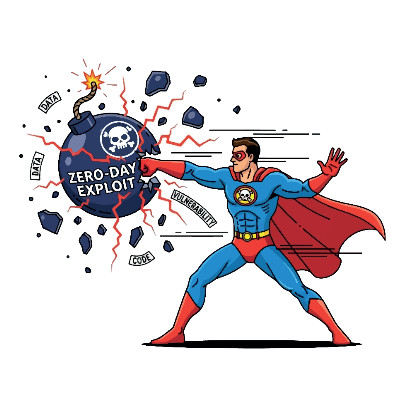
When a massive software vulnerability hits the news…we’re talking about ones that threaten infrastructure, supply chains, or businesses globally…it often feels like an uncontrollable wildfire. The public might panic, but what you don’t see is the quiet, behind-the-scenes work that goes into addressing these issues before they reach your business.
These days, the window of time between a vulnerability being discovered and hackers exploiting it is smaller than ever, and if you wait before taking action, it could cost you your business.

Modern cybercriminals have shifted their tactics. Instead of immediately encrypting live production servers, sophisticated attackers now quietly compromise secondary backup archives first; stripping away your ability to restore systems independently. If your enterprise data configurations allow backup logs or files to be altered or deleted, a single breach can permanently destroy your operational records and force costly, catastrophic downtime.

It can feel like every phone call, text message, and email is an attempt to steal money or compromise your network. Scammers target individuals and organizations constantly, using increasingly refined tactics.
While you cannot stop bad actors from sending fraudulent messages, you can implement simple controls to reduce risk. Here are four practical steps you can take to protect yourself and your organization.

We all like to think we have a solid handle on our day-to-day operations, but technology has a sneaky way of creating blind spots. Even well-intentioned leaders occasionally fall into simple traps that put their operations at risk. Let’s look at a few of the most easily avoidable IT mistakes and how you can fix them today.
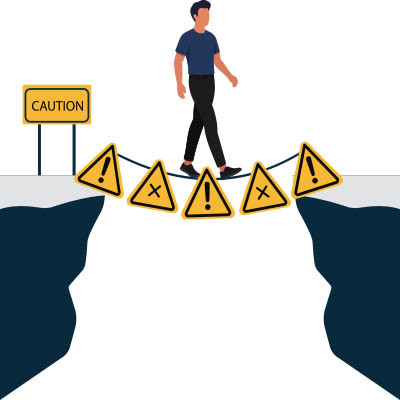
In architecture and engineering, shortcuts often end in spectacular failure. Consider the Tacoma Narrows Bridge: first opened in 1940, engineers had shortened the deck design to save time and weight. The bridge—famously nicknamed "Galloping Gertie"—swayed violently in moderate winds until it ultimately collapsed.
Similarly, in business IT, taking quick shortcuts feels harmless at first, but it creates hidden structural vulnerabilities beneath your day-to-day operations. While cutting corners might save a few minutes today, it routinely compromises long-term security and stability.

Mention complex frameworks like HIPAA, PCI DSS, or data privacy laws, and most managers immediately picture mountains of dry paperwork, confusing audits, and looming fines. It feels like a web of red tape designed for Fortune 500 giants, yet dumped onto small and mid-sized offices that don't have a dedicated legal team on retainer.
When you strip away the legal jargon, IT compliance isn't about pleasing a government bureaucrat or checking boxes for fun. At its core, it's about proving that you take reasonable, standardized steps to protect the sensitive client data trusted to your care.

Operating without a backup is a major business risk, but relying on an unverified or poorly configured backup system is often far worse. It creates a false sense of security where you assume your data is protected right up until you need to perform a restore.
When a hardware failure, cyberattack, or human error occurs, a flawed backup process fails to recover your files and actively compounds your financial loss.
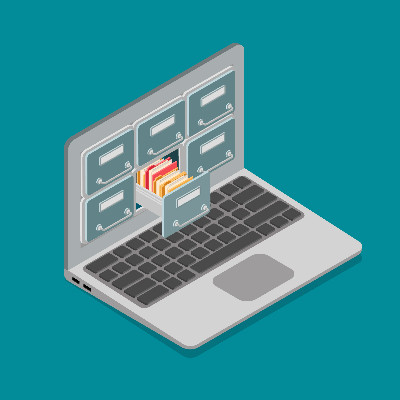
Take a look at your employees’ laptops right now. Chances are they are still saving PDFs, proposal slideshows, and client spreadsheets directly to their “Documents” folder or their local desktop. The practice of storing business files directly on local physical hard drives is not sustainable, and it exposes your business to more than simple technical inconveniences.
Due to tightening regulatory landscapes and the realities of remote risk mitigation, allowing corporate data to rest on a physical endpoint that can be lost, stolen, or compromised is a liability you don’t want to deal with.

You cannot secure a business by simply buying expensive software or new computers. Even massive companies with huge budgets get hacked regularly. True cybersecurity is not a product you buy and forget about. It is a daily habit that involves every single person in your company.

Managing data storage and file sharing across a growing company requires a deliberate strategy. Many businesses start out using whatever tools are immediately available, such as standard email attachments or personal cloud storage accounts. While this approach allows a small team to complete daily tasks in the short term, it creates significant operational and security risks as an organization scales. There is a fundamental difference between simply storing files somewhere and executing a managed data architecture.
Onsite Locations We Serve
- Alvin IT Services
- Clear Lake IT Services
- Friendswood IT Services
- Pearland IT Services
- Manvel IT Services
- Pasadena IT Services
- Dickinson IT Services
- Kemah IT Services
- Bacliff IT Services
- Deer Park IT Services
- League City IT Services
- Fort Bend IT Services
- Cypress IT Services
- Cinco Ranch IT Services
- Humble IT Services
Contact Us
Learn more about what SouthBridge Consulting LLC can do for your business.
SouthBridge Consulting LLC
Webster, Texas